How to test a generator with load DSE 7310
The content provides instructions for using the Generator Control Panel in the Plant Room. Key points include:
- Generator Mode: The generator should always be in 'Auto' mode, verified by a lit red light on the control panel.
- Monthly On Load Test: To perform the test, press the manual button once to switch to manual mode (red light indicates this).
- Test Activation: Select 'Test on Load' using the Green MODE button, confirm with the tick button.
- Running the Test: Allow the generator to run for 15 minutes.
- Stopping the Test: Press the Red Stop button and then return to Auto mode by pressing the Auto button again.
- Additional Resources: A PDF guide for testing a generator with load is available for download. For further assistance, contact information is provided.
Generator – at all times the generator is in Auto.
Generator control panel Auto button.
This button red light must always lit.
to ensure the generator remains in automatic mode ready to take load during any power outage.
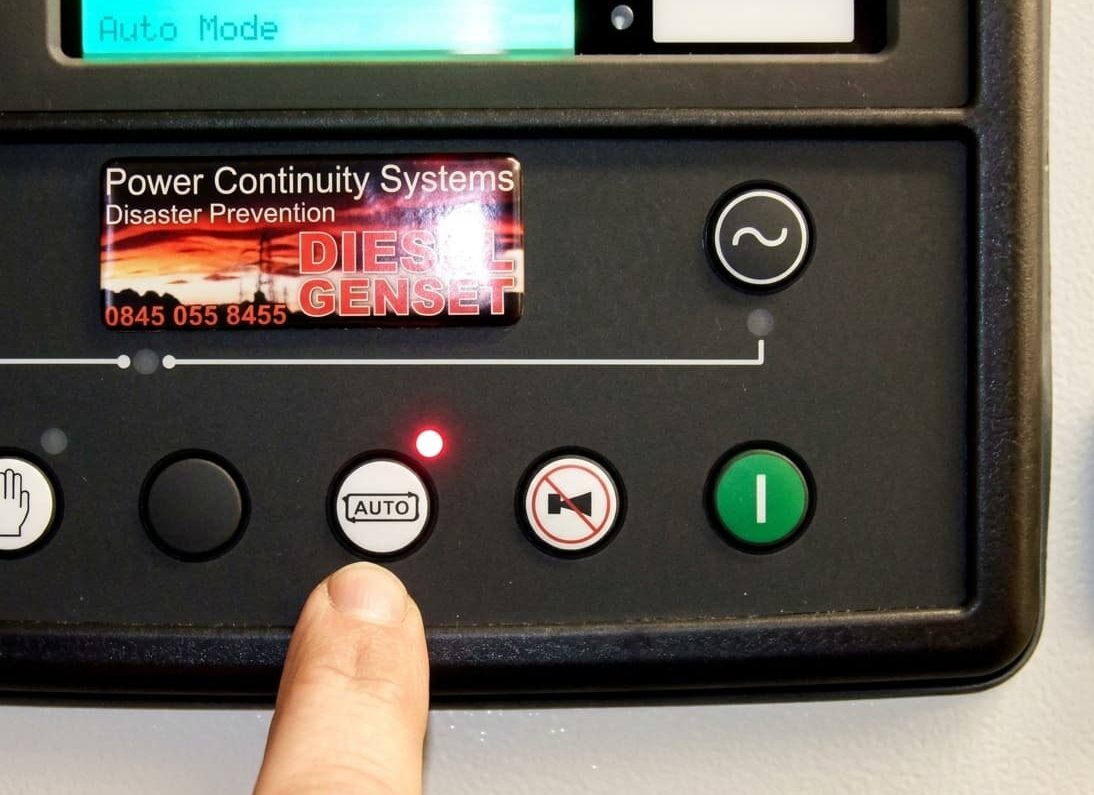
Monthly ON Load Test will place all the building load on the generator.
This test is using the control panel – main distribution board in plant room.
To begin monthly ON load test Press manual button ONCE.
Red light will be lit. You are now in manual mode.
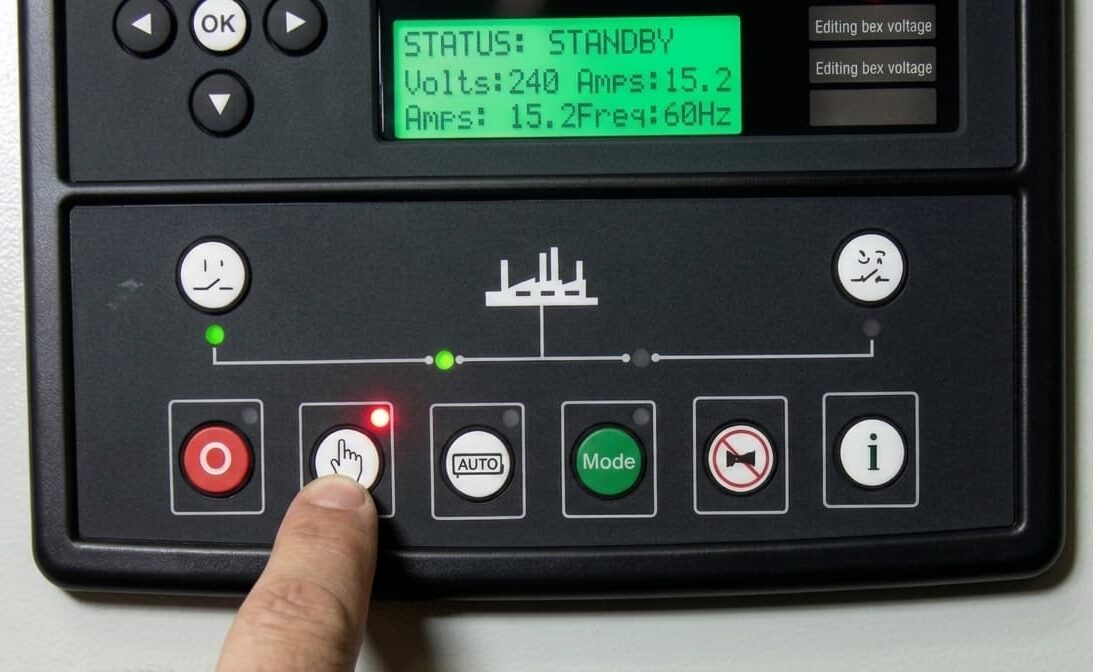
Press the Green MODE button repeatedly until “Test on Load“ is shown on the display.
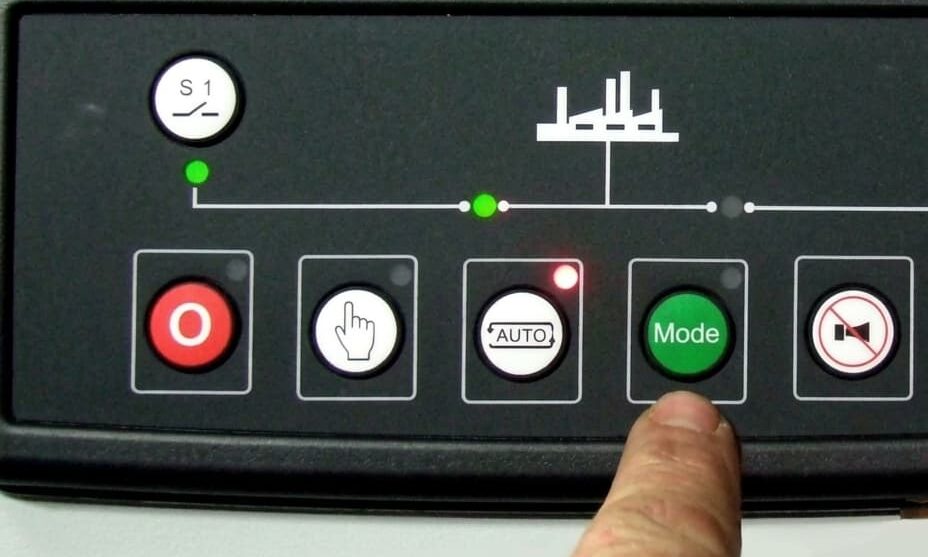
Press the tick button ONCE to confirm the change.
A LED indicator beside the button confirms this action.
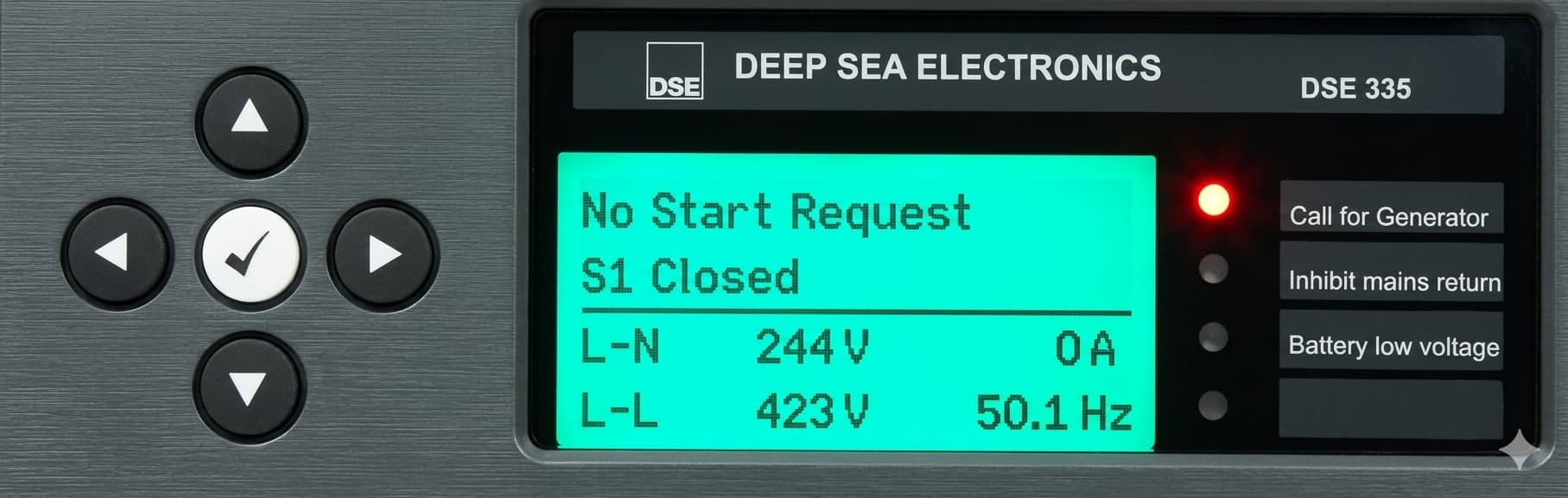
The Generator Will Now Start – Leave generator to run for 15 minutes
To STOP ON Load test press the Red Stop button.
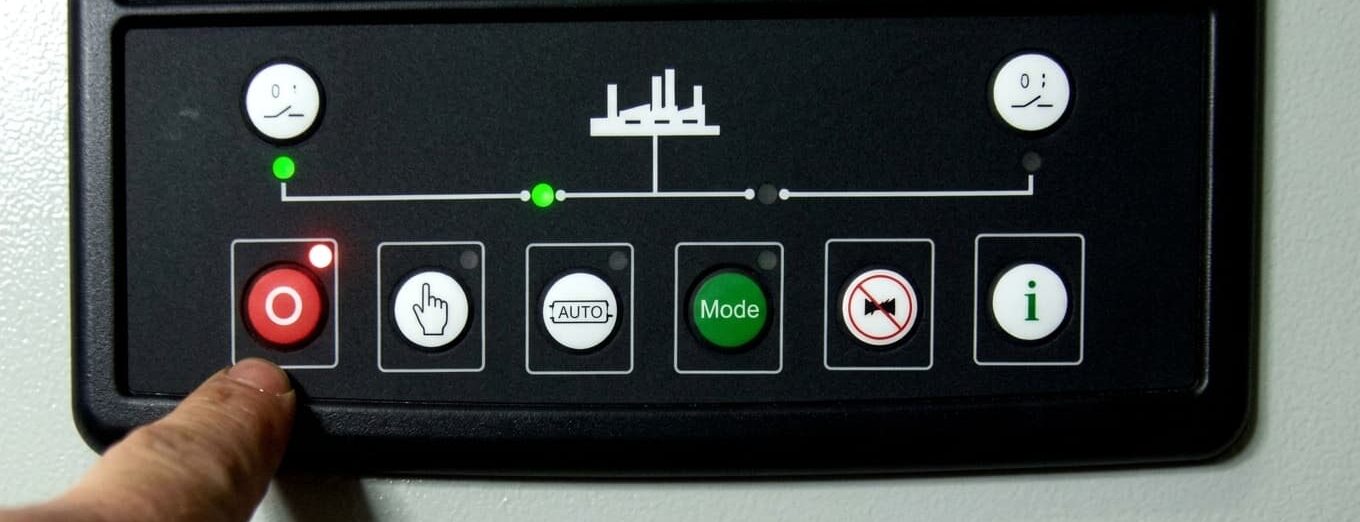
Press the Auto button.
to bring the generator back into automatic mode.
Power Continuity DSE 7310 auto button
Generator – at all times the generator is in Auto.
Generator control panel Auto button.
This button red light must always lit to ensure the generator is in automatic mode ready to take load during any power outage.
Download our PDF guide: How to test a generator with load-DSE 7310
If you’re looking for a Generator Controller, call us on 0845 055 8455, we’re here to help!