Riello Master Plus – What does the Display show?
The Riello Master Plus UPS features a control panel similar to the MST display but includes enhancements. It has a liquid crystal display with 6 LED status indicators and 8 function keys that facilitate monitoring and controlling UPS and battery parameters. The LED indicators represent various line and battery statuses, while the function keys provide access to menus such as information, measures, commands, history, and more. For inquiries about Uninterruptible Power Supply, users can contact customer service.
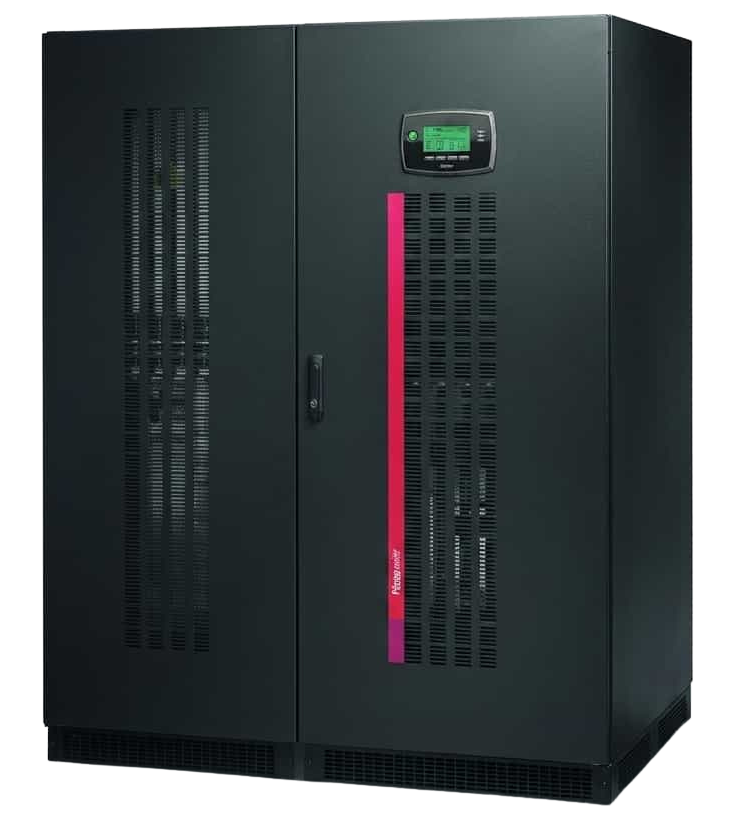
The Riello Master Plus display shares some similarities to the MST display, with some noticeable differences in layout and functionality. The control panel, located at the front of the UPS, provides users with clear access to monitor and manage both UPS performance and battery parameters in real time. It features a liquid crystal display supported by 6 status LEDs (three on each side of the screen), which give quick visual indications of system status and any alarms.
In addition, there are 8 function keys that allow for intuitive navigation through the various menus and settings. The bottom section of the LCD screen dynamically updates to show the current function of each key, making it easier for users to operate the system efficiently regardless of which menu they are in.
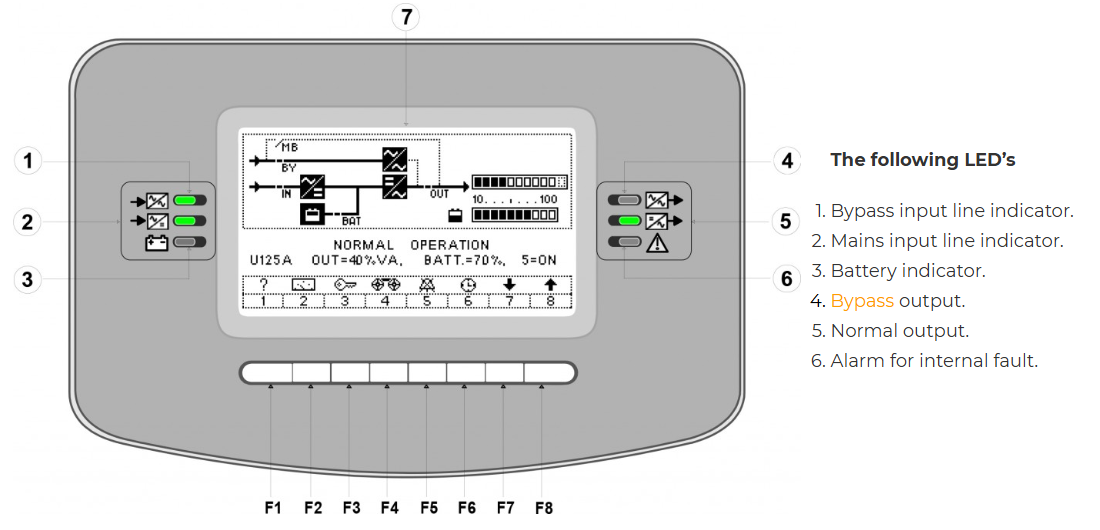
The following LED’s
- Bypass input line indicator.
- Mains input line indicator.
- Battery indicator.
- Bypass output.
- Normal output.
- Alarm for internal fault.
Sub-menus
From the main menu, the 8 function keys have the following function:
- Information menu.
- Measures.
- Commands.
- History.
- Buzzer off/on.
- Display date/hours.
- Decrease value (or sub menu).
- Increase value (or sub menu).

If you’re looking for an Uninterruptible Power Supply, call us on 0845 055 8455, we’re here to help!